
Share F1 25 (2026 Season Pack) Telemetry with Friends Privately
The social paddock lets you share EA SPORTS F1 25 with the 2026 Season Pack telemetry with friends and teammates in private, direct conversations. Instead of messy file exports or public links, you send clean, verified extracts of your laps, stints, ERS maps, or setups. All sharing is strictly private and never exposes data from rival drivers.
The problem
Collaborating with a teammate or coach usually requires emailing large files, navigating external cloud storage, or posting unverified screenshots in chat channels. Drivers end up sharing entire uncompressed sessions when they only wanted feedback on a single corner or setup change. Public sharing links risk exposing setups to league competitors, while rival drivers in your lobby never consent to having their private data distributed.
What you see
The social paddock provides dedicated conversations for accepted friends and team groups. When you create a shared item, you choose exactly what to send: an entire session, an isolated stint, a single flying lap, an ERS energy map, or your mechanical setup values.
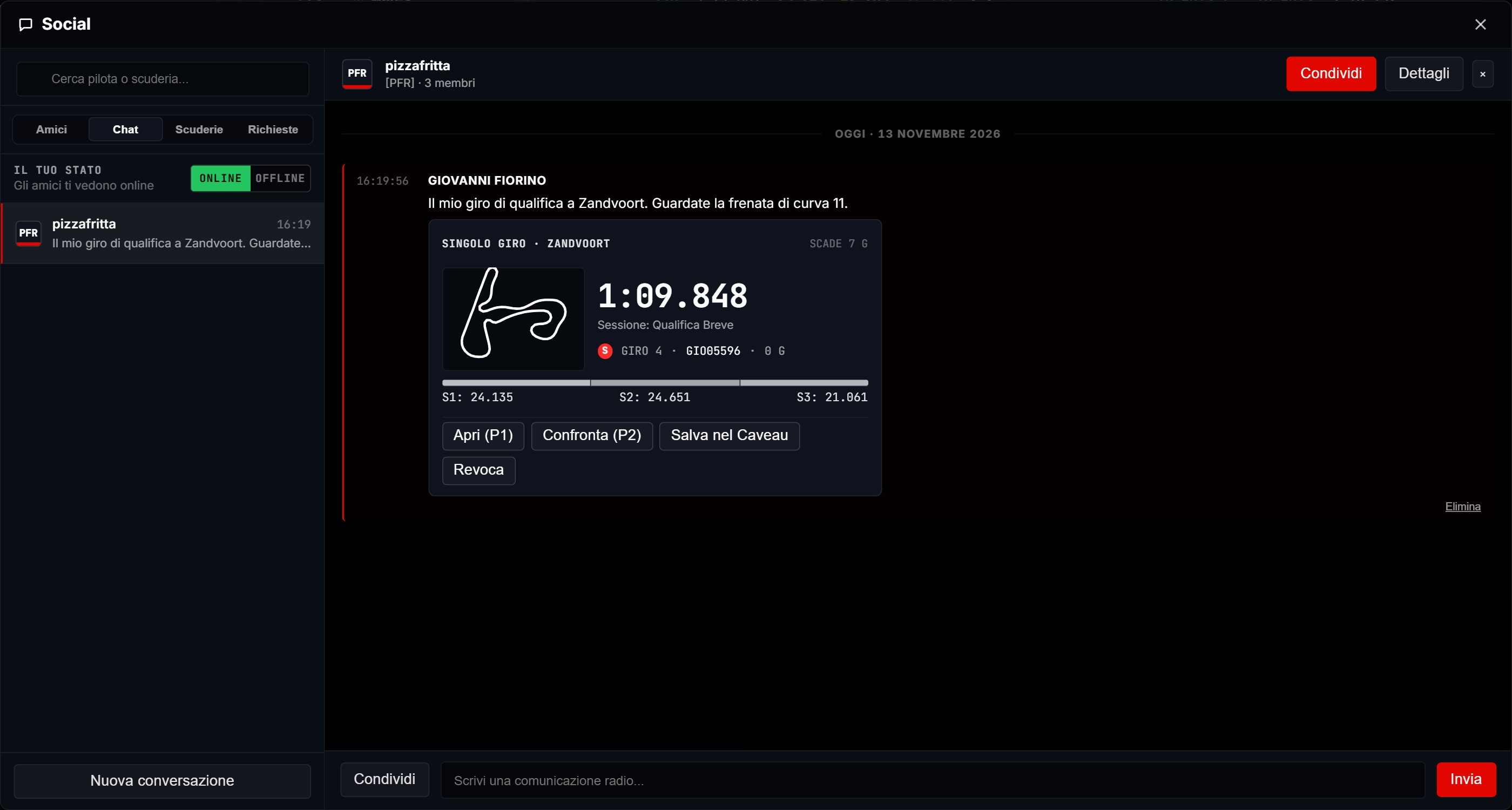
Each shared card features an immediate summary displaying circuit name, session type, lap time, compound, tyre age, and fuel load. The recipient can open the extract directly as a reference lap (P2) or save it into their sessions folder with a single click. You maintain complete control over distribution by setting automatic expiration timers. Your online presence status is only visible to friends you have explicitly accepted, and telemetry from other drivers in your sessions is never included in shared files.
How to use it in a race weekend
- Connect with your teammate by exchanging friend invitations within the app.
- After free practice, open your fastest flying lap and click the share button.
- Select the single lap or ERS map extract, choose an expiration timer, and send it to your team group.
- Your teammate opens the card, instantly loading your telemetry trace as P2 in their Race Engineer view.
- Compare corner speeds and electrical deployment side by side to establish your team baseline for qualifying.
Related
Ensure your UDP telemetry pipeline is active in setup guide or compare shared laps corner by corner in the Race Engineer.